How it works Pricing FAQ Our story
A new question every Sunday

Keep your family's stories, in their own voices

Every Sunday, your whole family gets the same question. Each person records a short answer on their own phone, whenever it suits them, and everyone listens. Across town or across the world, on iPhone or Android.

You're invited to join your family on Kinfire
Open Kinfire and join
If you don't have Kinfire yet, this takes you to the store first. When you open the app, your family comes up by itself. Nothing to type.
Invite code:
iPhone and Android. The annual plan starts with a free month.
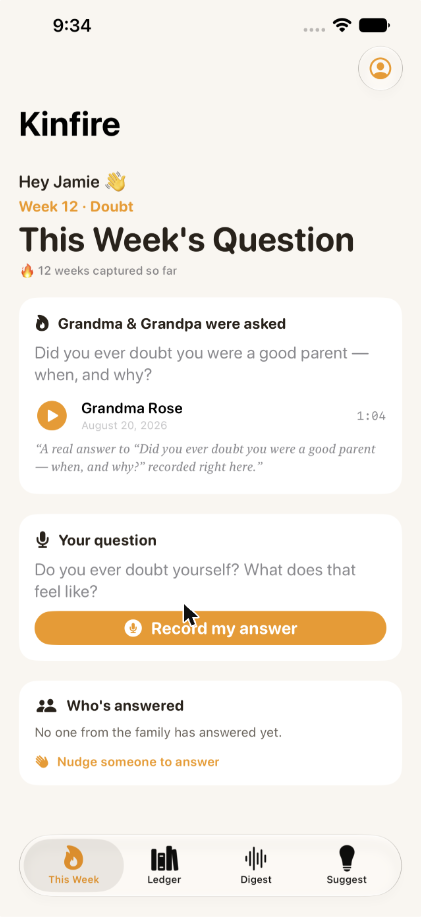
Kinfire This Week screen showing the Prank Wars question and who has answered
Why we made this

We'd give anything to hear our dad's voice again

We only have a couple of videos of him. As our parents got older, we realized how much we'd never asked: how they met, what Mom's favorite food was. With everyone busy and living in different places, those stories weren't getting told.

So we built Kinfire, a Sunday supper for the people who can't be at the table. It's for the people you've lost, and just as much for the people who are still here.

Read our story →

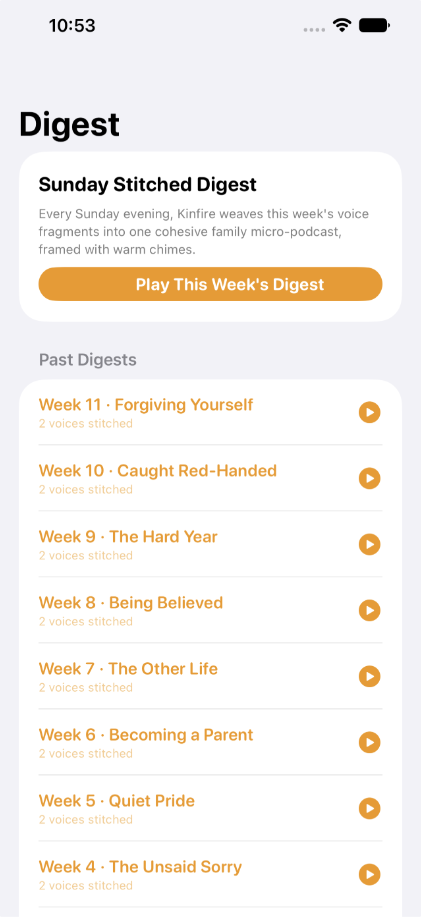
Kinfire Digest screen with a button to play every answer from the week
Play the whole week
How it works

How it works

One person starts the family and sends an invite link. Everyone else taps it and they're in. Nothing to type.

Kinfire Week 22, Smooth Moves, showing the Elders' question, the family's question and two answers
One topic, two versions

1. A new question every Sunday

Everyone gets the same topic. Elders get one version and the rest of the family gets another. Most weeks are about pranks, bad haircuts and strange food. A few go deeper.

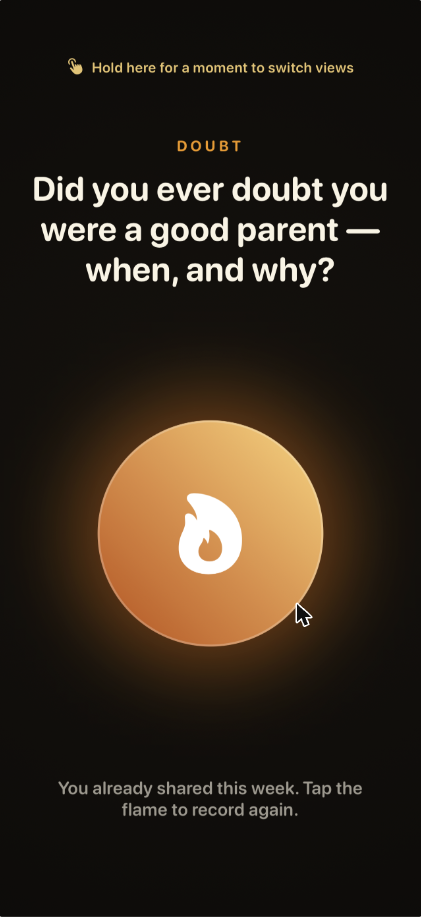
Kinfire Elder screen with a large flame record button
Elder screen

2. Everyone answers, on their own time

Record in the car, after dinner, whenever. Elders get one big button and large text: tap, talk, done. Everyone else gets the full app.

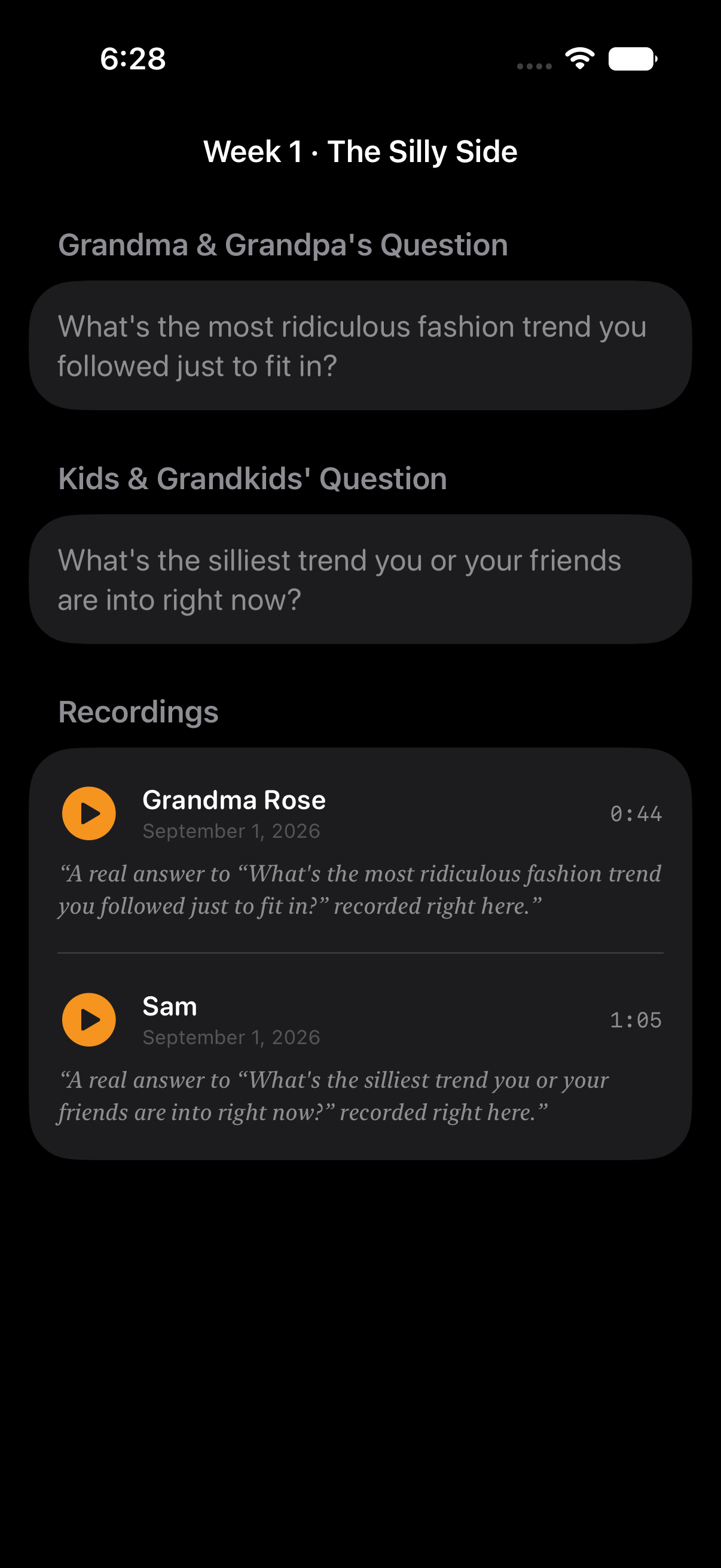
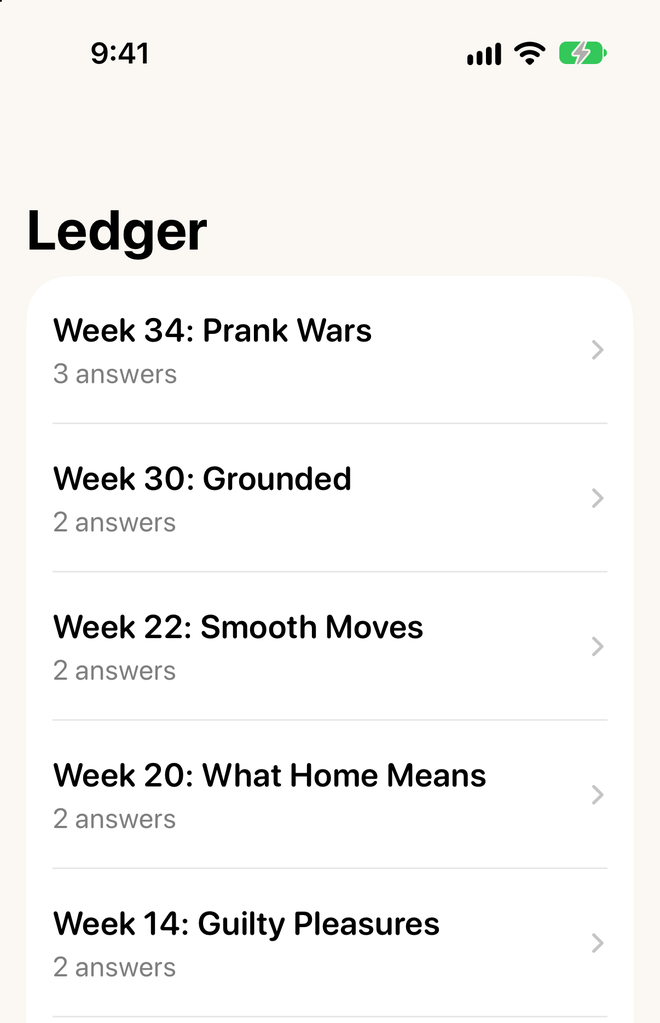
Kinfire Ledger screen listing past weeks
Ledger

3. Listen together, keep it for good

Play the whole week back to back, or one person at a time. Every week is saved, so you can play it again next month or in ten years.

Sample questions

Mostly fun. Sometimes thoughtful.

The year starts light and mixes in a few deeper weeks along the way.

"What's the best prank you ever pulled, or had pulled on you?"
"What's the weirdest food combo you actually love?"
"What's the worst haircut or hairstyle you ever had?"
"What's the cheesiest thing you ever did to impress a crush?"
"What's the worst gift you ever got and had to pretend to like?"
"What made a house actually feel like home to you?"
Why families like it

Easy to start, easy to keep going

Simple for Elders

One big button and large text. No menus, no typing. Someone in the family sets it up in a minute.

No group chat to keep up with

No threads, no "typing...", nobody left on read. One question a week, answered when it suits you.

iPhone and Android together

Grandma on Android, the grandkids on iPhone. Same family, same question.

Private to your family

No ads, no public feed, no strangers. Delete your answers any time.

Pricing

One price covers the whole family

The person who starts the family pays. Everyone they invite joins free, up to 25 people. No ads, and we never sell your recordings.

Monthly
$9.99
per month
Cancel anytime

What's included

  • ✓ Up to 25 people, one invite link
  • ✓ A new question every week
  • ✓ Every answer kept in your family archive
  • ✓ iPhone and Android in the same family
  • ✓ Delete your data from the app at any time
Good gift idea. Start a family on the annual plan and the whole family is covered for a year.
FAQ

Good to know

How does someone join?

Send them the invite from Kinfire's Settings. They tap the link, install Kinfire if they don't have it, and their family comes up when they open the app. Nobody has to type a code.

Does it matter if we have different phones?

No. iPhone and Android work together in the same family.

Who counts as an Elder?

Whoever you want. A grandparent, an older parent, a great-aunt. Elders get the simple one-button screen and their own version of the question.

Is this private?

Yes. Only people in your family can hear your answers. There are no ads, no tracking and no selling of data. You can delete your answers, or leave the family and delete everything about you, from Settings. Privacy policy.

How often will Kinfire notify me?

Once a week, Sunday at 6 PM, when the new question is ready. That's the only notification Kinfire sends.

What if we miss a week?

Nothing happens. The next question still shows up on Sunday, and there is no streak to keep.

Can I remove someone from our family?

Yes. Whoever started the family can remove anyone in Settings, for example an old copy of an Elder whose phone was replaced. They can always join again with the invite.

Can we cancel anytime?

Yes. Cancel in your App Store or Google Play subscriptions. You keep access until the end of the period you paid for.